Datasource
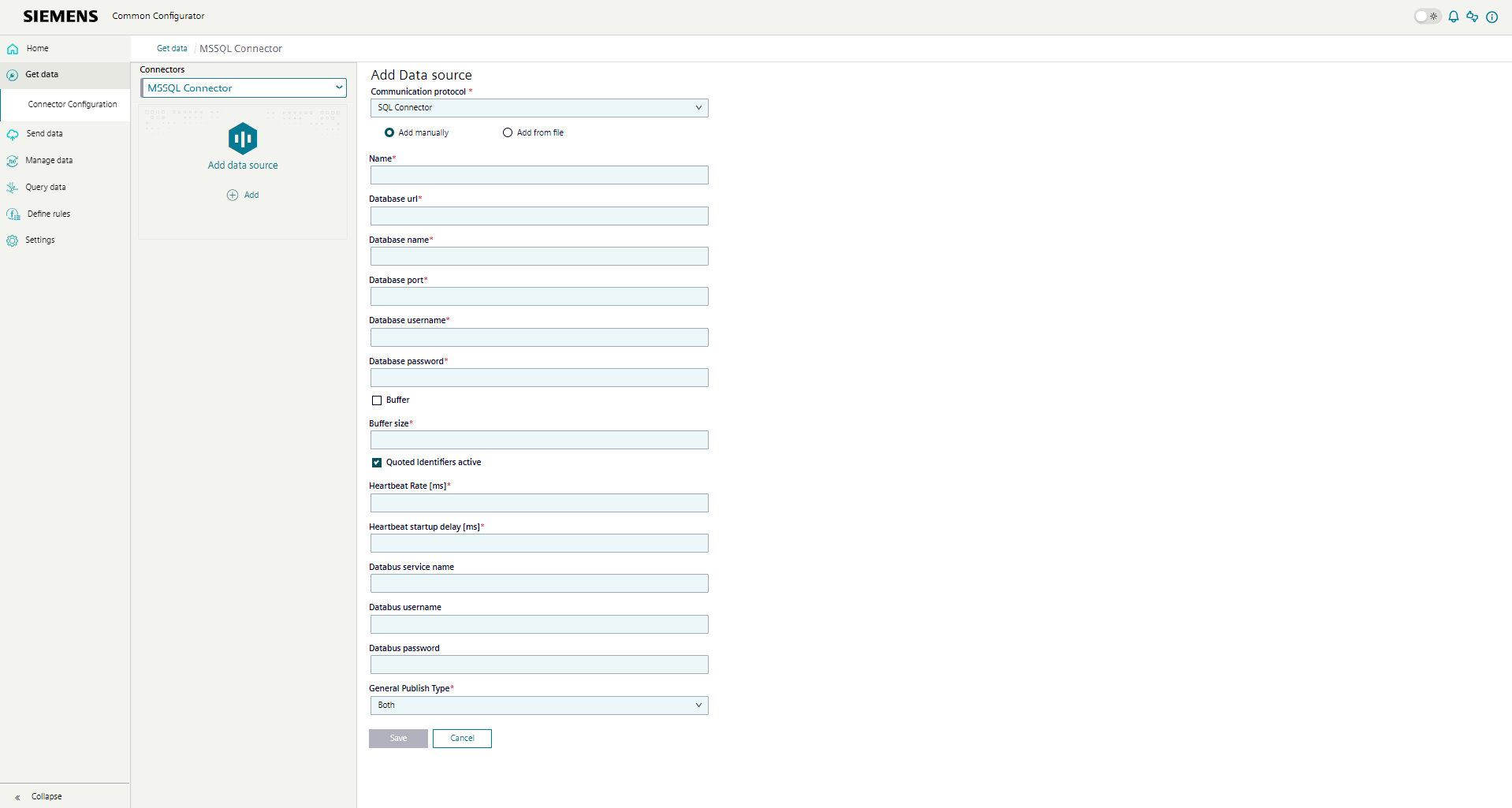
The datasource is used to set the database and to specify the MQTT user and password. Depending on how many connections your connector is designed for, up to 10 datasources can now be created. The following attributes can be configured in the datasource:
-
Name:
Each datasource has its own name, which can be freely chosen.
-
Database url:
The database url is used to connect the Connector to the database. Currently, the Connectors only support connections to their defined database.
-
Database name:
The name of the database to which the Connector should connect. The database must already be created and online so that the connector can connect to it.
-
Database port:
The port of the database.
-
Database username:
The user to connect to the database.
-
Database password:
The password to connect to the database.
-
Buffer:
A buffer is a system to temporarily save data when it is moved from inserting to the database. It focuses mostly on optimizing performance.
The buffer option is used to select between two insert modes. If this option is activated, a defined number of inserts will be collected before they are written to the database. If this option is not activated, buffering only takes place in the event of a loss of connection to the database.
This ensures that, no matter which option is selected, your data is transmitted safely and without loss.
-
Buffer size:
The buffer size is the number of inserts that are collected before they are transferred to the database. If the buffer option above is not activated, the buffer size is ignored.
In our demo, the buffer size is 50.000 inserts.
-
Quoted Identifier:
This encloses table and column names in quotation marks in all sql statements.
-
Heartbeat Rate
A heartbeat is a signal to periodically check the connection between the connector and the database and its availability.
Specifies the interval in ms where the connector verifies the connection to the database. If the connection is not verified, it can be assumed it failed or got disrupted.
In our demo, the heartbeat rate is 500 milliseconds.
-
Heartbeat startup delay
Specifies the delay after connector start until it starts performing connection checks to the database.
In our demo, the heartbeat startup delay is 10.000 milliseconds.
The optional fields "databus_service_name", "databus_username" and "databus_password" have been added to the datasource. These are used to ensure proper MQTT configuration to browse tags in the common configurator.
-
Databus service name
the databus host including the port
-
Databus username
The databus username which will be used to browse the tags.
-
Databus password
The databus password which will be used to browse the tags.
-
General Publish type
The Connector now supports sending data as single values, in arrays or both. This option has to be set for the whole datasource.
If the option to use both single values and arrays is set, each table has two datapoints, one for a single value and one for an array values.
To know more about the functionality of the array, look to Payload Format Change - Array.