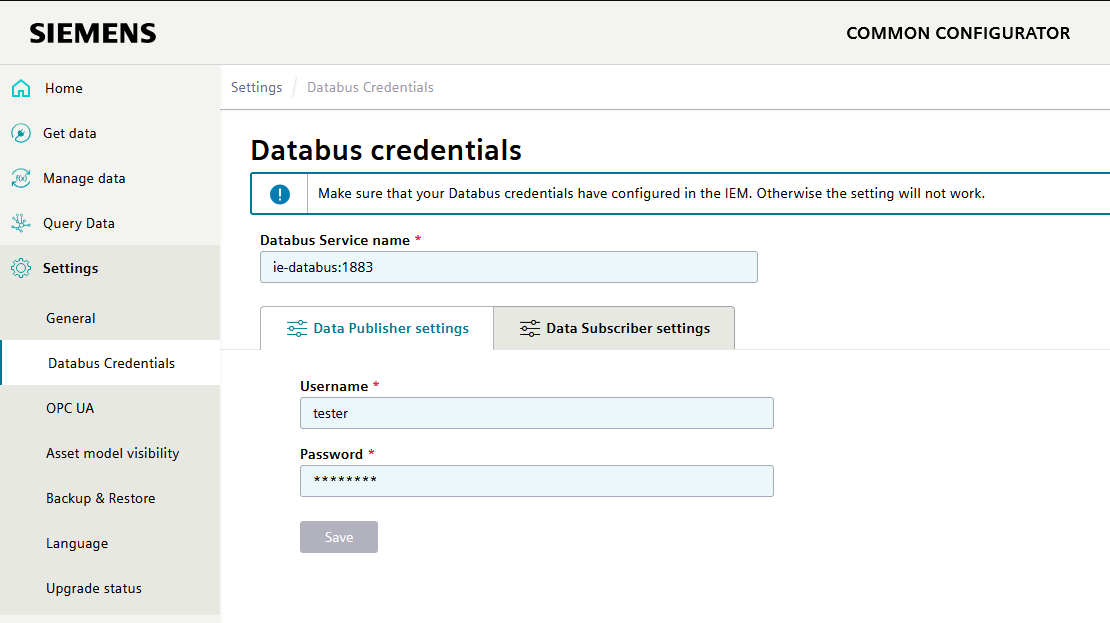
MQTT user
To use a Connector, a MQTT user must exist/be created for the data bus. This user must be able to write to and read from the metadata topic, statustopic and the main data topic, which must be set as follows:
In Industrial Edge Management, the ie databus can be configured under "Data Connections".
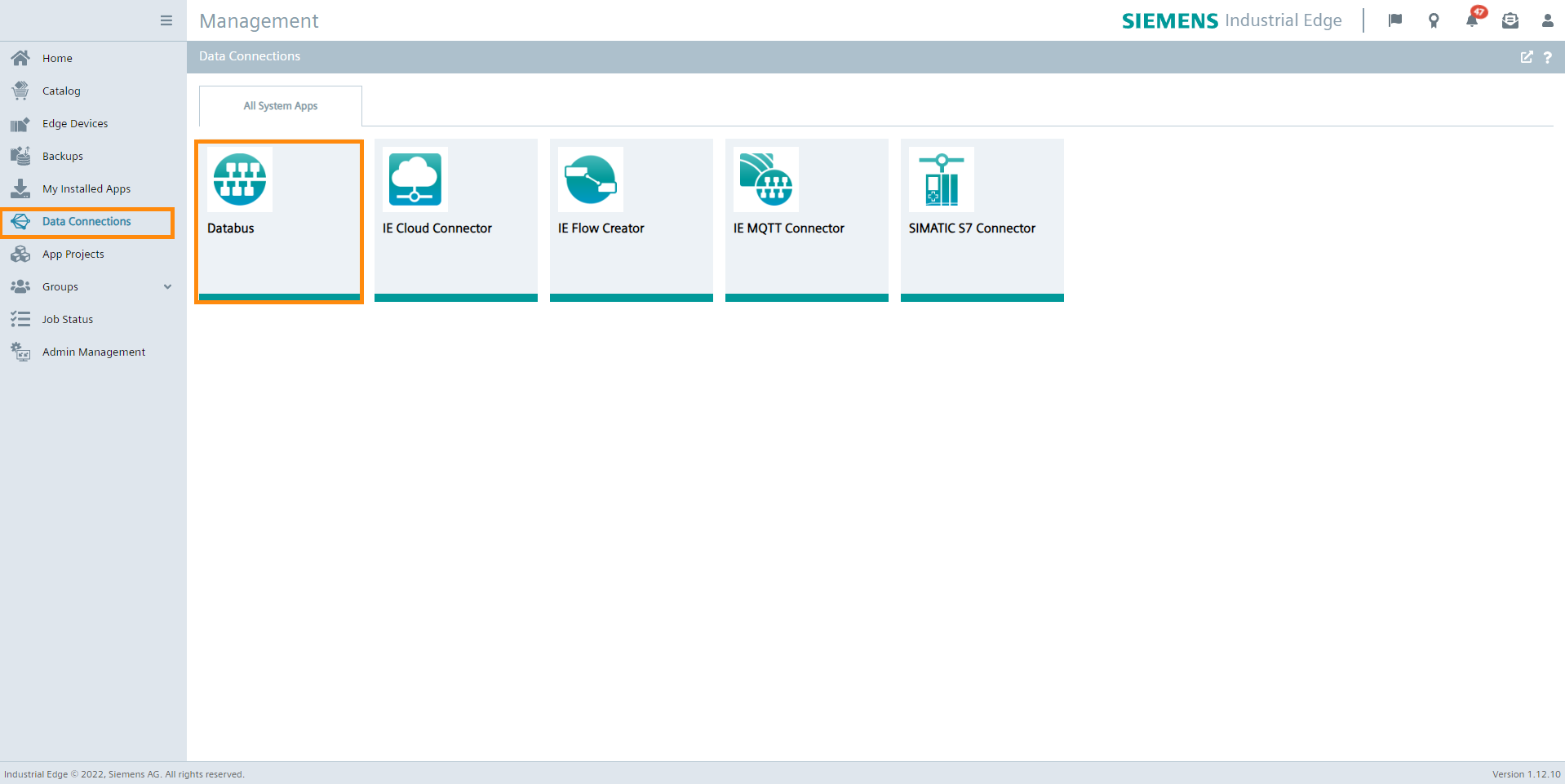
Both users and topics can now be created here. If there is no user yet, one must be created.
Remember the username and password as you will need it as databus credentials.
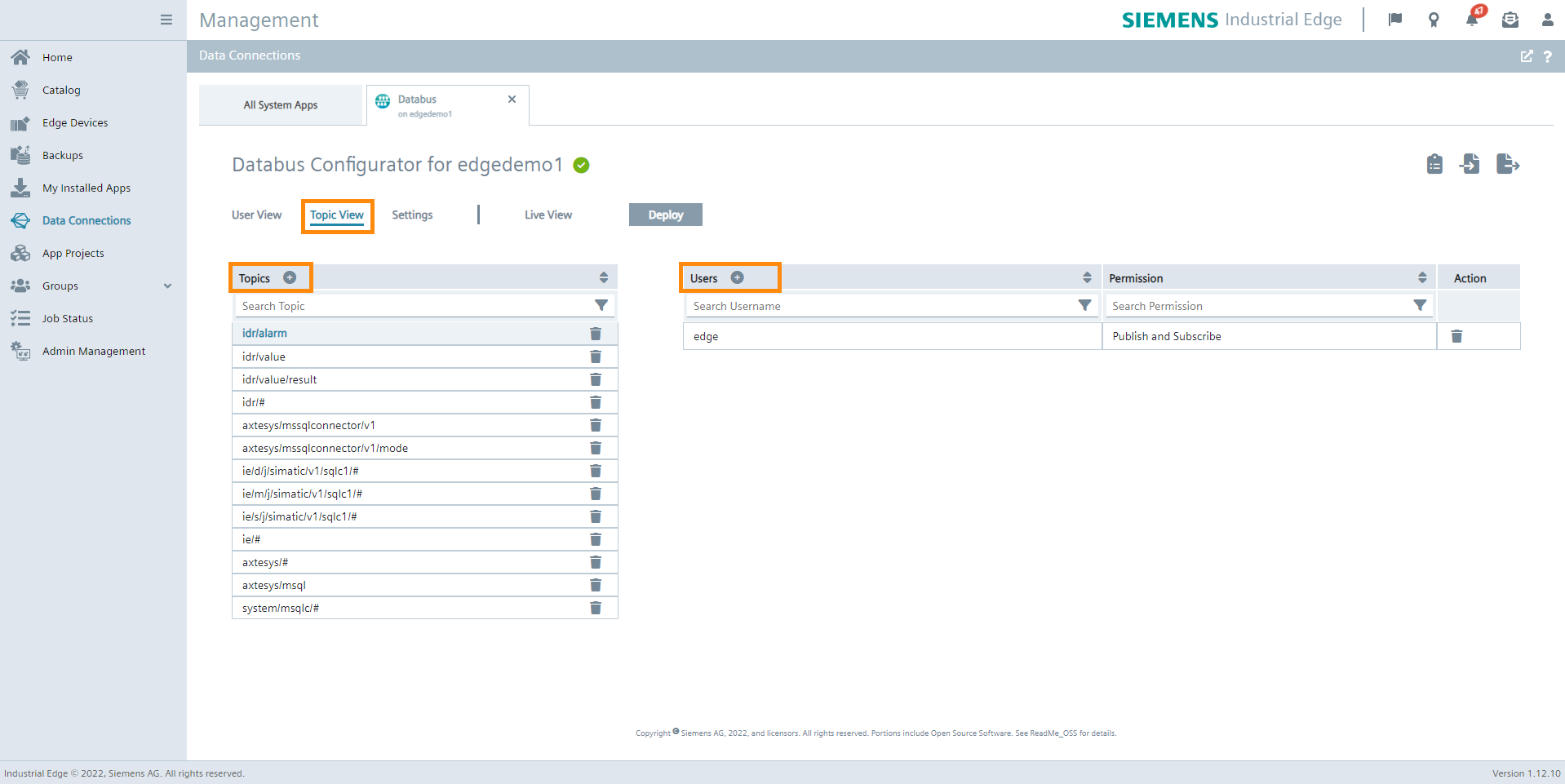
The topic must then be created and assigned to the MQTT user and given the rights "Publish and Subscribe".
The user must have "Publish and Subscribe" rights to the following topics:
The connectors are using different topics which can be found here:
Remember the MQTT user, password and topic as these are needed to write to and read from the database later.

After having created the MQTT user and installed one of the Configurators, you can set the databus credentials in the Common Configurator. Make sure you have the correct password for the topic you need, otherwise some functionalities of the Connector may not work.